
My older music-video-gen generators solved the “YouTube wants a video” problem by being screen-recorded: open a web page, play the track, capture the window through OBS. It works — several of my videos were made that way — but it records in real-time, risks recording artifacts and stutters.
flow-state is a different other approach. Drop an audio file on the page, wait a second or two to get analyzed, and you have a full-length procedurally generated music video you can edit or just export to mp4. No screen recording needed.
Plan first. Code second
I sat down with Claude and wrote the plan: what is the goal and the vision, how this improves on the previous approaches. I let it define phases with verification gates that needed to pass before the next phase was allowed to start.
Next came a one shot implementation. The AI worked for a few hours before handing over a working solution. I say “AI” because this process capped a few different AI subscriptions, not just Claude. But it was straightforward to pick up where the other AI agent left off. We had the plan and gates to keep it on track. Once the plan was finished, the app was ready to be used.
Everything is decided before the first frame
Instead of reacting on the music playback, this time the track is fully analyzed before anything renders. This let’s us establish sections of the song (intro | build | drop | sustain | breakdown | outro) with different visualizers that can be switched and parametrized based on the music.
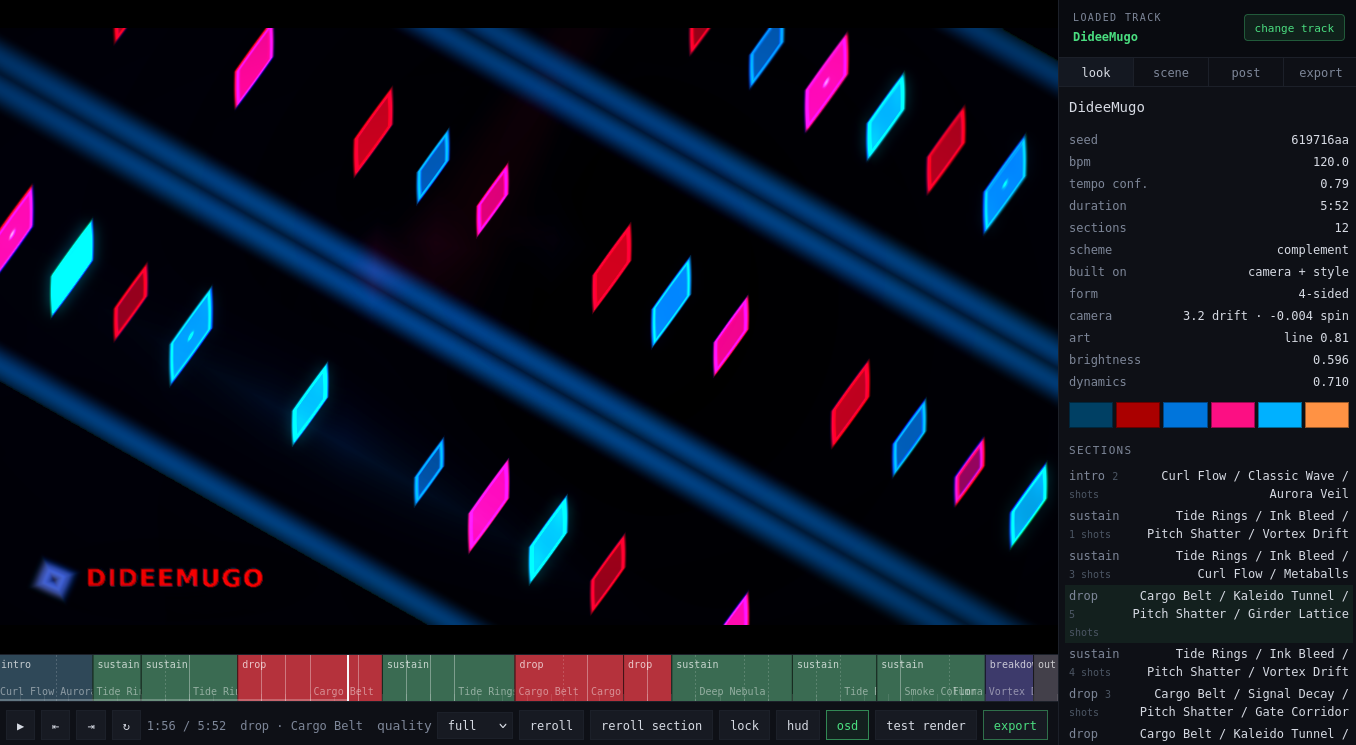
The main benefit is lookahead. Because the whole song is analyzed up front, a build can anticipate its drop: ramp density and move toward the drop’s values over the eight bars before it, and arrive at the transition already at full tension. A causal analyzer can’t ever do that — it only knows the drop landed after it landed.
A scene is a shader
There are 40+ visualizers available. Adding a new one costs a shader and a schema block that describes it. It can then be picked up for the appropriate part of the song and provided with unifying “song personality” parameters that keep the visuals consistent across the song.
A shader can be added via an AI skill + a script call. It is also machine-checkable — a linter cross-checks each shader’s uniforms against its params block both ways, which is what stops a library this size from rotting.
And then I watched it
This is the check that can’t be automated; it requires human touch and intuition. After all of the above I sat down with the output and asked whether it actually felt interesting for five minutes. The answer was no. I looked into translating a vague sense of “interesting” into metrics and numbers that the AI could use to improve this across the board. Finding them allowed for a second phase of changes, which genuinely made the videos interesting at last.
Before, we had scene changes tied to the metronome in fixed intervals, the palette was frozen for the whole track, 39% of the library didn’t meaningfully develop over two minutes, and 29 of the 42 scenes had never once been cast across twelve test tracks, with cross-track sameness baked into a module constant mapping section kinds to families. A lot of this was improved once we had metrics that make sure scenes are “interesting” and variable.
First song is out there
The whole reason I made this app was to have an easy way to produce music videos. It took a whole day to finish, but that is the up-front price to pay for setting up a pipeline and being able to push out many more songs later.
Enjoy!