Categories
Games Programming Projects

splinter-keep: A Text RPG with a local LLM as Dungeon Master

splinter-keep — it calls itself “The Chaos” in-game — is a terminal RPG where an LLM runs the whole game: it narrates the scene, offers you choices, resolves whatever you type back, and rolls dice behind the scenes against a genuinely simple d6-based rules system. Every turn gets appended to a running story book, so by the time a campaign ends you’re left with something that actually reads like a book rather than a chat log.

The whole game loop lives in one terminal app — there’s no separate “DM” service and “player” client, just a TUI that calls the LLM directly for every scene and every outcome. The interesting constraint was making that work with a local model running on my own GPU instead of a hosted API. I went through a lot of different local models while building this, and every single one had its own quirks and failure modes: refusing to follow the output format, inventing rules, forgetting inventory, that sort of thing.

It only became reliably playable once I added real guardrails: a strict structured output format the LLM has to fill in every turn — choices, log line, state changes, as a JSON block — and a second, separate LLM call whose only job is to check whether the player’s action is even valid given the current character and world state, before the main narrative call runs at all. That second-opinion step mattered more than any single prompt tweak.

Even with all that, I’ll be honest: the actual writing quality of a small local model is nowhere near what you get from pointing the same code at a larger hosted model instead — the game supports both, swappable in config, and the difference in prose is obvious. But getting a local model to behave at all, reliably, turn after turn, was most of the fun here. Still a great experience playing around with LLMs either way.

Full architecture notes, the rules system, and the code for both the guardrails and the LLM strategies are in the splinter-keep repository.

Categories
Music Programming Projects

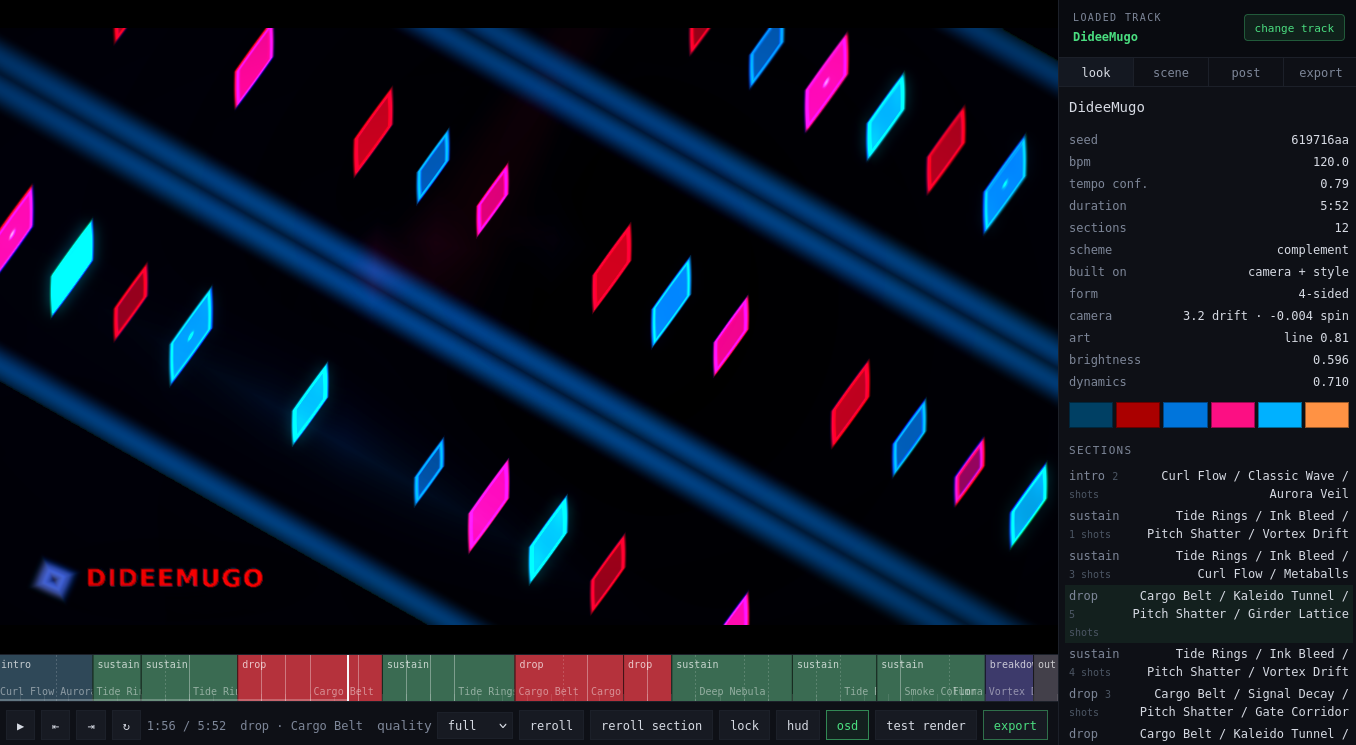
music-video-gen: I Let an AI Build My Music Visuals

Finishing a track isn’t the end of the job — most places to share music, YouTube included, want a video, not a bare audio file. music-video-gen is a small library of “generators”: self-contained pages with reactive visuals that get screen-recorded alongside a track to produce that video, one scene assembled per song as needed.

Five generators so far. party-stage is the most developed: a full virtual venue with a DJ, a dancing crowd, lasers, light bars, and a projection screen that runs one of several audio-reactive shader visualizers — Synthwave Run, Drugged Out Flow, Nebula, Floating Shapes — picked at runtime. party-cathedral swaps the modern club for a torch-lit medieval hall, with illustrated performers instead of a laser show. tv-player takes the opposite mood entirely, a quiet in-room scene built around an old TV and VCR, with small environmental touches like dust, flies, and a spider added recently for texture. magic-mirror rounds out the mid-sized scenes, and sparkles, the original and simplest of the set, is still there too.

The part actually worth writing about is how it got built: essentially the whole thing was written by an AI (Gemini) rather than by hand. Instead of one big scene file the AI would have to reason about — and risk breaking — on every change, each stage element (dancers, DJ, lasers, torches, camera, curtain) is its own small class behind a two-method interface, registered with a single manager. Visualizers work the same way, behind their own shader interface. That structure was chosen specifically so an AI could keep extending the project safely, one self-contained file at a time, without needing to hold the whole scene graph in its head.

Getting the music-reactive parts to actually feel right was the fiddliest bit. Beat detection went through several rewrites before settling on combining multiple detection approaches at once, plus a dedicated “blackout” effect to sell song drops. The newest work adds a visualizer picker and two new shader visualizers, and swaps pre-rendered video textures for a plain image slideshow.

These scenes have ended up in real music videos on my channel: party-cathedral’s torch-lit hall backs Flofleep, party-stage’s laser-lit DJ booth scores Ropot Gili, and tv-player’s dusty VCR room sets the mood for Mystery Tape. Full source for every generator, including the scene and shader code, is in the music-video-gen repository.

Categories
Hardware Music Projects

PicoWaveTracker: A MIDI Step Sequencer That Writes the Notes For You

PicoWaveTracker is a MIDI step sequencer built around a Raspberry Pi Pico, an OLED screen, a rotary encoder, and an 8×8 NeoPixel matrix standing in for the usual grid of step buttons. Turn the encoder to move between steps, click to edit a note, hold to start or stop playback — the kind of tracker interface I’ve always liked, minus the wall of physical buttons.

What makes it more than “yet another step sequencer” is that half the tracks don’t have to be programmed by hand. Alongside the regular manual track, there’s a set of generative strategies you can hand a track over to instead — Euclidean rhythms, L-systems, cellular automata, Markov chains, arpeggios, call-and-response, drones, even a “lucky” random strategy. Each one turns a track into a little algorithm instead of a fixed pattern, and you can run several tracks at once with different strategies and step counts, which gets you polyrhythms almost for free.

A lot of the later work went into making the generated parts actually sound musical instead of just correct: scale and root-note awareness so the algorithms stay in key, a mutation setting with adjustable intensity so patterns drift instead of jumping randomly, and chord-note support so “harmony” means something beyond a single melodic line. There’s also a dedicated drone strategy for when you just want a track to hang in the background.

The hardware side had its own fights: the NeoPixel matrix draws more current than the Pico can supply on its own, so it needs a separate 5V line, with real warnings about not doing this the lazy way and frying a USB port. I also hit a deadlock where the watchdog would restart the whole device if a MIDI lock got acquired twice in a row — the kind of bug that’s obvious in hindsight and infuriating in the moment.

To make this build extra fun, I repurposed a kids’ toy briefcase and made it a bit punk.

Full wiring diagrams, power options (including a portable LiPo setup), and the code for all the generative strategies are in the PicoWaveTracker repository.

Categories
Hardware Music Projects

NoiceSynth: A Grid-Based Modular Synth You Can Fit in a Tin

Modular synths are great fun, but they usually mean a rack, a pile of patch cables, and a wallet that’s a lot lighter than it used to be. NoiceSynth is my attempt at getting that same “patch it together yourself” feeling into something that fits in a tin box and runs on a single Raspberry Pi Pico.

Instead of a fixed synth architecture, you get a 12×12 grid. You place modules on it — oscillators, filters, envelopes, and a handful of others — and wire them together however you like. Want a patch that leans into DX7-style FM synthesis? Build it. Want a slow, drifting drone instead? Same grid, different wiring. The “instrument” is whatever you’ve patched together.

Under the hood, it’s an RP2040 doing the DSP work, streaming audio out over I2S for clean output. Controls are kept minimal on purpose: a rotary encoder for navigation, a potentiometer for volume, and a 128×64 OLED for visual feedback on whatever you’re doing to the patch. A 3.5mm TRS-A MIDI input lets it take notes from an external keyboard or sequencer, and the whole thing is designed to run off a LiPo cell and a booster board — small and portable enough to actually carry around.

A fair amount of the actual build time went into things you’d never notice from the outside: getting I2S audio streaming without glitches meant adding proper buffering, and once that was stable, I moved the synthesis math over to fixed-point to keep the Pico’s core from choking under a full patch. Patches themselves get saved to EEPROM, so nothing’s lost when you power it off.

There’s also a desktop simulator included, which turned out to be more useful than I expected — it lets you design and audition a patch at your desk before ever touching the hardware, and you can transfer patches back and forth between the two. It ships with eight demo patches plus a few built-in presets that mimic the DX7.

Full build instructions, wiring diagrams, and the source are all in the NoiceSynth repository.

Categories
Hardware Music Projects

StupidSynth: Turning a Decade-Old Raspberry Pi Into an Instant-On Synth

Every Raspberry Pi I own boots into a whole Linux distro before it does anything, which felt like overkill for the one thing I actually wanted: something that makes a sound the moment it’s powered on. StupidSynth throws out the OS entirely — it runs bare-metal on an original Raspberry Pi 1 (or Zero), boots straight into the synth code in one to two seconds, and starts playing.

Once it boots there’s nothing to configure and nothing to press. It just loops a randomly generated melody as a single-voice sawtooth wave out the 3.5mm jack, while the composite video output draws a bare red bar that pulses with the amplitude. No filesystem, no drivers beyond what the synth itself needs, no input handling at all.

The actual interesting part is everything that has to happen before “Hello, World” even makes sense on hardware like this. There’s no libc, no OS, so kernel.c has to be the entire universe — audio generation, video timing, and a boot stub in assembly that hands control over from the Pi’s own firmware in the first place, all built with a bare gcc-arm-none-eabi cross-compiler and linked against a custom linker script. Getting the deploy loop fast enough to be worth iterating on mattered more here than usual, so there’s a Distrobox-based dev container and a script that finds the SD card, copies the built kernel and firmware onto it, and unmounts it — no manual dd-ing required.

This one’s deliberately small and dumb, hence the name, and it only runs on the original BCM2835-based boards (Pi 1, Zero, Zero W), not anything newer. Full source, the deploy scripts, and manual setup instructions are in the StupidSynth repository.

Categories
Hardware Projects

washing-machine-notify: Knowing When the Laundry’s Done Without Modding it

I got tired of walking to the utility room just to check if the washer or dryer had finished, so I built a little ESP32 gadget — with an AI coding assistant doing most of the actual typing — that watches both machines and pings my phone the moment a cycle starts or ends.

The trick is what it actually senses. Rather than tapping into the machines electrically or measuring vibration, it just watches light — a BH1750 sensor taped over each machine’s own “running” indicator LED. If the light’s on, the machine’s running; when it goes off, the cycle’s done. It’s about as non-invasive as monitoring gets, and it works on basically anything with a status light, not just my specific washer and dryer.

I actually started with vibration sensing instead, measuring a window of motion to decide if a machine was active, but it ended up simpler and more reliable to just watch the light. Getting the timing logic right so a brief flicker doesn’t count as a full cycle took a few passes, and it all runs non-blocking off millis() so the WiFi connection and the display stay responsive.

Notifications go out over a self-hosted ntfy.sh topic rather than a proprietary app or cloud service, and there’s a small OLED on the device itself for an at-a-glance status if my phone’s not around.

It’s since been retired, though — I replaced the whole setup with an IKEA smart plug and Home Assistant, which tracks power draw instead of light and needed zero custom firmware. Still, wiring, parts list, and the full sketch are in the washing-machine-notify repository, in case the light-sensing approach is useful for a machine that doesn’t play nicely with a smart plug.

Categories
Hardware Projects

thermoprint-homework: Turning a Receipt Printer Into an Endless Worksheet Machine

I had a cheap thermal receipt printer doing nothing, and a son who needed to practice a few skills for school. thermoprint-homework — built almost entirely with an AI coding assistant — turns the two into an endless supply of one-page worksheets: run the server, hit print, get a fresh sheet.

What started as a plain TUI printing basic math problems quickly turned into a small library of “jobs”: unit conversion, decimal division, a division-based cipher, mazes with adjustable difficulty, word search puzzles, chess puzzles pulled from randomly generated positions via a chess library, even a random joke thrown in for good measure. Each one is its own self-contained job that gets queued and printed.

The newest addition isn’t practice material at all — it reads my son’s schedule straight from a Google Calendar via its private iCal feed and prints out today’s tasks, so he’s got a physical slip telling him which chores are due and whether he’s got an activity to head out to, instead of having to ask.

It’s built on python-escpos, so anything ESC/POS-compatible should work, not just the specific printer I’m using. Full job list, config, and setup instructions are in the thermoprint-homework repository.

Categories
Uncategorized

Tribal Lyre | song on a DIY Lyre

I decided to make a DIY lyre. And then I played a song on it. And here it is!

Categories
Games Open source Programming Projects

Moon Bus :: PICO-8 game

I couldn’t resist the temptation to get down to coding a game like it was the 1980s again: small screen, huge pixels, 8-bit values, limited resources, limited instruction set, lots of fun.

PICO-8 is a fantasy console that only ever existed as an emulator. But oh boy, what a fun and well executed concept. I bought the license (sic, this is not a free nor open source software) so that I could play it on my Anbernic RG35XX H emulator console. And it is an amazing experience, being able to play 8-bit retro games that are freshly released and wirelessly downloaded onto a handheld device.

Since PICO-8 provides an all-in-one environment for games development, I decided to give it a try. Enter Moon Bus. This is a simple ‘Lunar Lander’-like game, where you have to travel from station to station, landing several times in a row to carry passengers around a low-gravity planet. I had a lot of fun building this and subsequently playing this on my handheld.

You can find the game on the official PICO-8 site: Moon Bus at www.lexaloffle.com

I love that there are still options to get into simple programming, without any need for massive frameworks and libraries. It is a refreshing experience and it really reminds me of coding way back when you didn’t have that many options or expectations. You definitely don’t need a cluster of GPUs to compile shaders like with other current platforms.

Categories
Brainwaves

Keeping PinePhone Awake With Podcasts

Lately, I experimented with listening to podcasts on my PinePhone. The idea was to listen to some interesting topics while I’m on a walk, returning home. As you’d expect, nothing “just works” on a Linux phone.

I set up an automated download process via podget so that I can listen even with no network access. I got a pair of Bluetooth headphones to avoid fighting with headphone cords and to make this easy and convenient (as much as using a Linux phone can be). I picked up pragha as my new dedicated podcast player (‘P’ as in ‘Podcasts’!). The player even supported MPRIS2 via a plugin, so everything was great. Well, apart from my phone auto-suspending while the player was running.

One day later, I was halfway into creating a sleep-inhibit plugin for the pragha player. And then I found out there is an even better solution: sleep-inhibitor. This is a system service that monitors the audio output and if there is some sound playing through ALSA, it keeps the system from suspending. Just what I needed!

The service is even better than a player plugin, since this solution is generic. I also had a similar problem with the VLC player. And seeing this VLC ticket, I wasn’t the only one. Actually, this ticket brought me to the sleep-inhibitor, while researching ways to inhibit the system suspend.